DebuggingBouffaloLabChipsWithGDB

来自Bouffalo Lab Docs
张良留言 | 贡献2026年6月24日 (三) 01:04的版本
跳转到导航 跳转到搜索


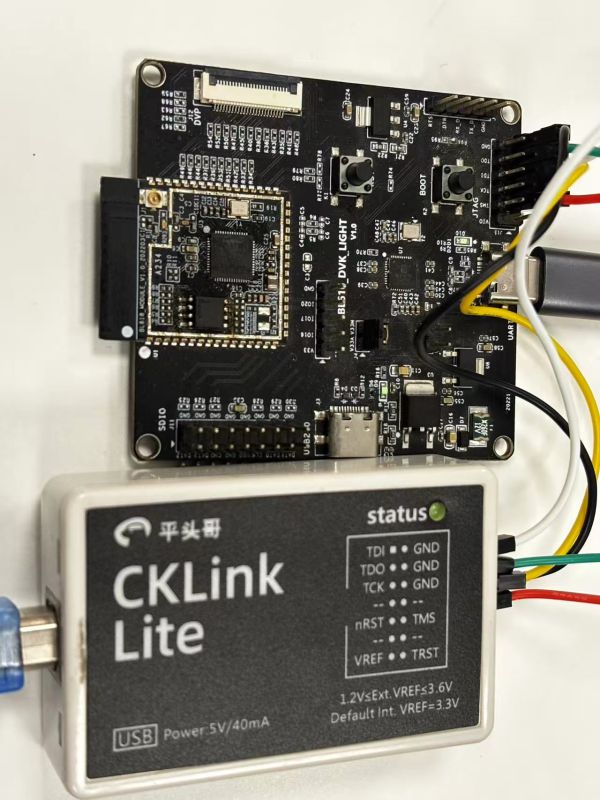
How to debug the DVK light development board via CKLink:

1. Connect to the PC via USB.

BL616DVKLight_CKLinkLite


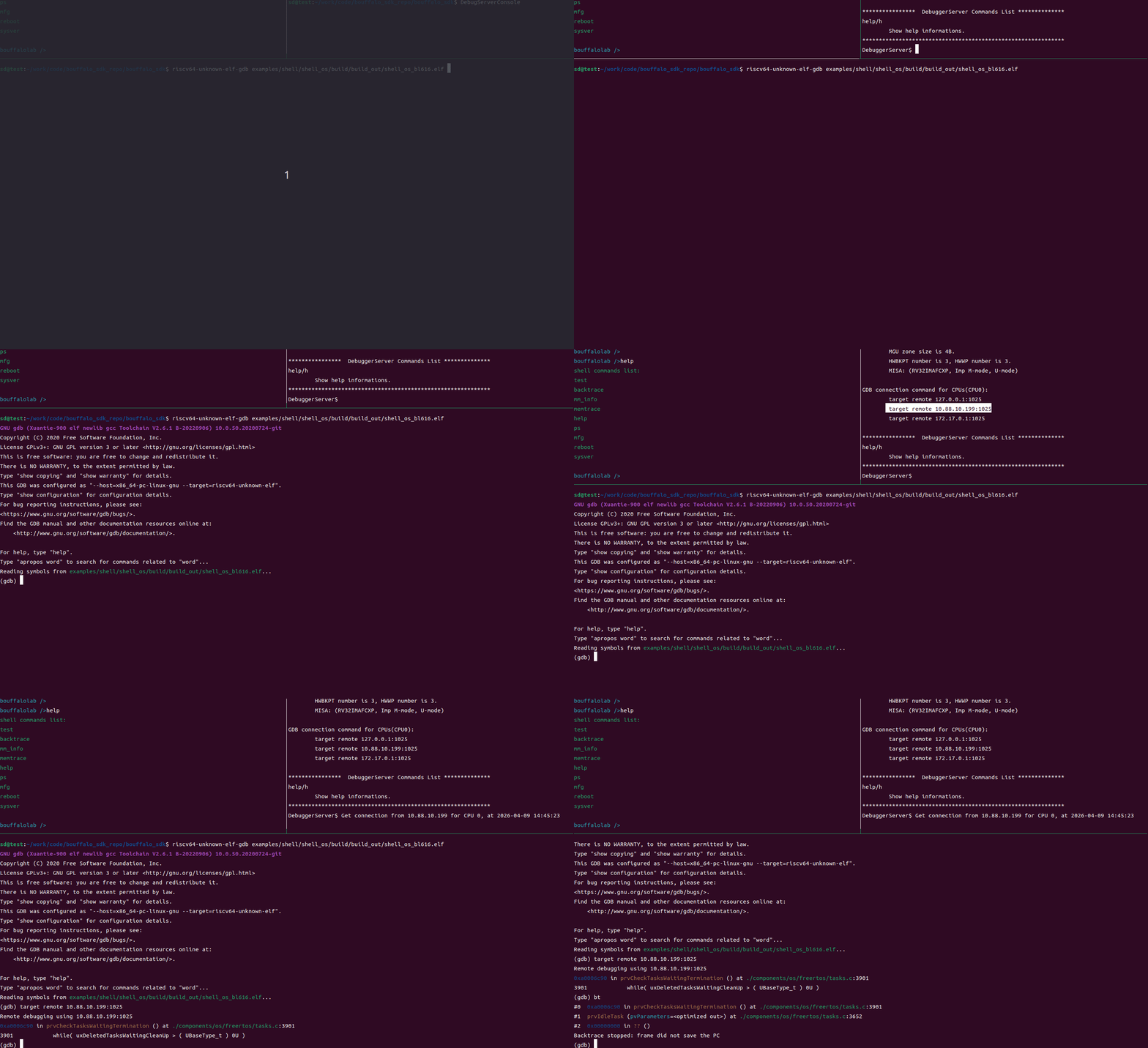
2. Perform GDB debugging.

Using Ubuntu as an example, run the following two commands separately:DebugServerConsole

riscv64-unknown-elf-gdb *.elf

BL616DVKLight_CKLinkLite